![tradable-bits-long-logo-for-download.png]](https://resources.tradablebits.com/hs-fs/hubfs/tradable-bits-long-logo-for-download.png?height=40&name=tradable-bits-long-logo-for-download.png)
The new Tradable Bits Homepage gives you a smoother entry point into everything you do - whether you're running engagement campaigns, pulling reports, analyzing segments, or activating fans through ads or SMS.
.png?width=670&height=377&name=Product%20Updates%20(2).png)
Your Homepage is now:
- More personal
- Easier to navigate
- Optimized for mobile
- Built around your role
Top Navigation Bar
The Top Navigation Bar stays with you as you move through the platform. You can now jump from Campaigns to Fan CRM to Idols without ever stopping what you're working on.

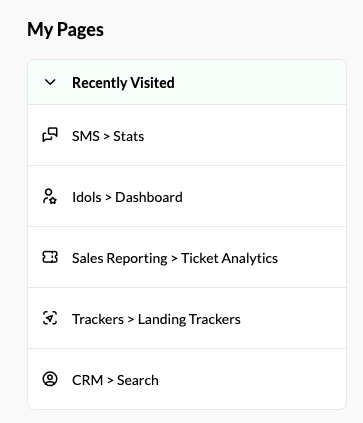
My Pages
You can now bookmark pages you recently frequent and jump right in as soon as you log in.
Use My Pages to:
- Pin high-traffic dashboards
- Get to campaign builds faster
- Onboard new teammates more seamlessly
For detailed instructions on how to bookmark a page, please refer to our help guide here.
Custom Homepage Modules
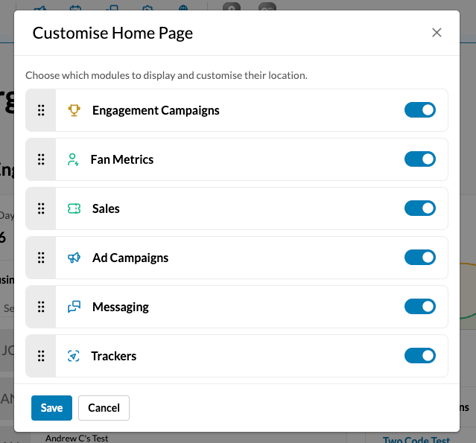
You can now customize your homepage to reflect the work you do:
- Drag and drop from 6 key reporting modules: Engagement Campaigns, Fan Metrics, Sales, Ad Campaigns, Messaging and Trackers
- Hide anything you don't use
- Surface what matters the most
- Create a view that fits your workflow
For instructions on how to customize your homepage modules, refer to our help guide here.
Optimized for Mobile Use
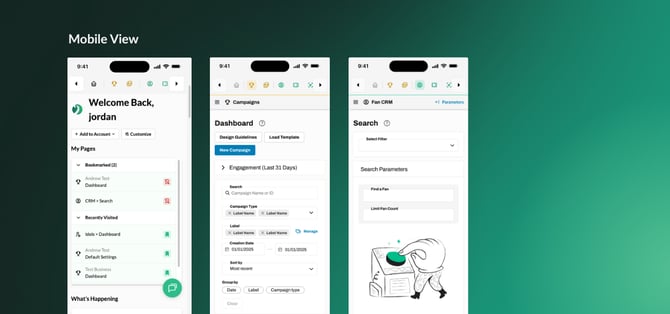
The mobile platform has been rebuilt to ensure better feature parity with the desktop version. You can now perform quick checks, approvals, and winner draws more easily from any device.
For more information on our homepage updates, please visit our blog.
Still need assistance? Please reach out to your Customer Success Team or contact support@tradablebits.com