![tradable-bits-long-logo-for-download.png]](https://resources.tradablebits.com/hs-fs/hubfs/tradable-bits-long-logo-for-download.png?height=40&name=tradable-bits-long-logo-for-download.png)
Follow these instructions to customize your Tradable Bits Homepage Modules:
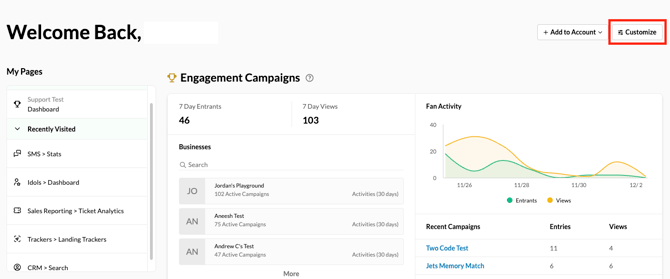
1. On your Tradable Bits Homepage, click the Customize button on the top right corner.
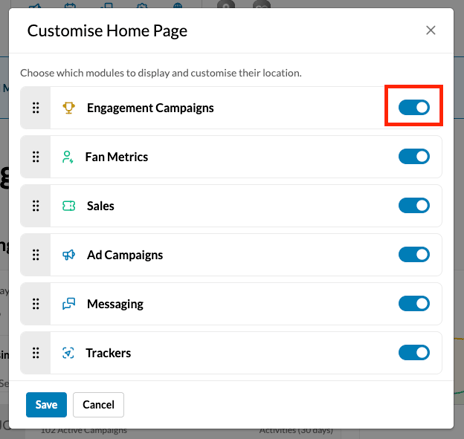
2. Drag and Drop from 6 key reporting modules: Engagement Campaigns, Fan Metrics, Sales, Ad Campaigns, Messaging and Trackers.
3. To hide a reporting module, toggle off the section.
Still need assistance? Please reach out to your Customer Success Team or contact support@tradablebits.com