![tradable-bits-long-logo-for-download.png]](https://resources.tradablebits.com/hs-fs/hubfs/tradable-bits-long-logo-for-download.png?height=40&name=tradable-bits-long-logo-for-download.png)
Choosing your winner (or winners) for an engagement can be an exciting step to finalize your campaign. Here are some best practices to follow to keep things fair and square.
Selecting your winners
1. In the Tradable Bits Homepage, hover over the Campaigns section in the Top Navigation Bar, select your desired business and click on Dashboard.
2. Navigate to your desired Campaign > Reporting > Results
3. In the Results section, you will find the Winners section, where you will find two options for drawing winners.
3. Choose your Selection method:
- Draw Random Winners: Winners are randomly selected (Recommended to ensure fairness)
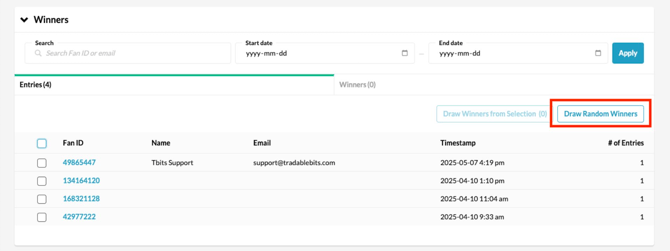
- Draw Winners from Selection: Review the entries below and draw based on your selected entries
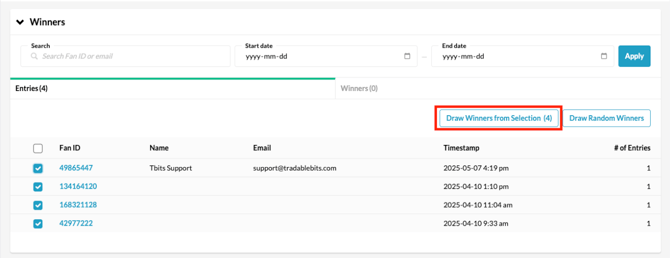
Optional: If you want to draw winners from entries made on a particular date, enter that date. Otherwise, leave the field blank to include all entries
Please note: If you opt to draw winners from entries made on a specific date, keep in mind that the date settings default to Pacific Time (PT).
4. Enter your desired number of winners in the Winner Count field
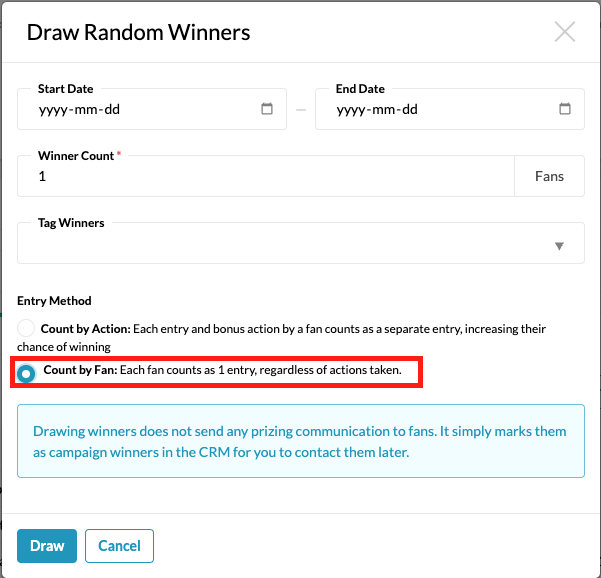
5. Choose the Entry method:
- Count by Action: Each entry and bonus action a fan takes counts as a separate entry, increasing their chances of winning
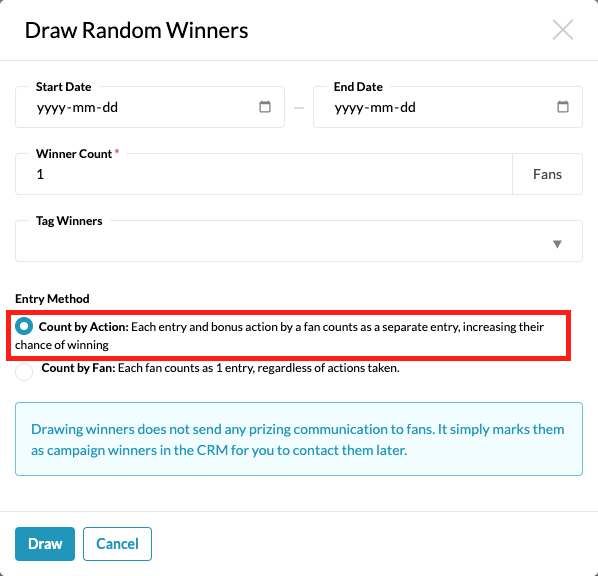
- Count by Fan: Each unique fan is counted as a single entry, regardless of the number of actions they took
Optional: You can also apply a tag to the selected winners to easily track them for prizing or future communication.
A Note on Fairness: To keep the playing field completely level, the "Count by Fan" method ensures that someone who enters 1,000 times has the same chance of winning as someone who enters just once.
6. Once you have configured your criteria, click Draw, and your winners will be selected
Important Note: Drawing winners does not send any prize communication to fans. It simply marks them as campaign winners in the CRM for you to contact them later.
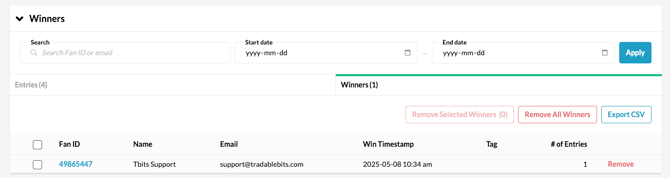
7. The selected winner(s) will be displayed in the Winners tab, along with the total number of winners you specified.
How can I be sure the winner selection process is fair and unbiased?
When you've chosen your winner criteria and click the "Draw" button, our server executes the selection through a secure pipeline. The selection process itself is fully automated on the server side, leaving zero opportunity for human influence or manipulation during the draw.
How the Draw Works Behind the Scenes
Clicking the "Draw" button kicks off a secure, automated process to pick your winner:
- Creating the pool: The system finds all eligible fans in the database. If you chose "Count by Fan," it automatically removes duplicate entries so everyone gets exactly one chance to win.
- Randomizing: The system thoroughly shuffles the list and assigns a random number to each person to ensure total fairness.
- Selecting: The person with the top random number is selected as the winner.
- Updating: The winner’s name is instantly saved to the official records and displayed on your dashboard.
Locating Winners in the Fan CRM
To find winners from an engagement campaign, follow these steps:
1. In the Tradable Bits Homepage, hover over the Fan CRM > Search
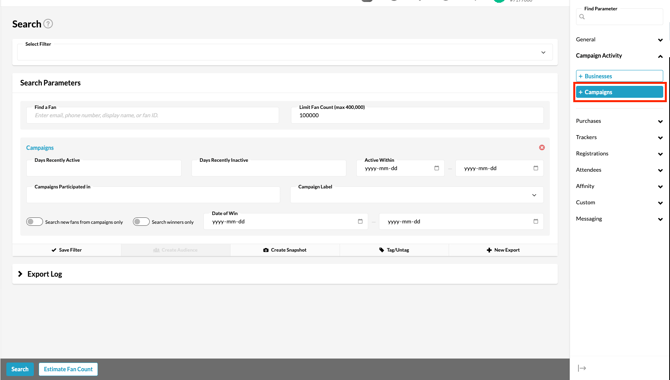
2. In the search parameters, select Campaigns
3. Toggle Search Winners Only
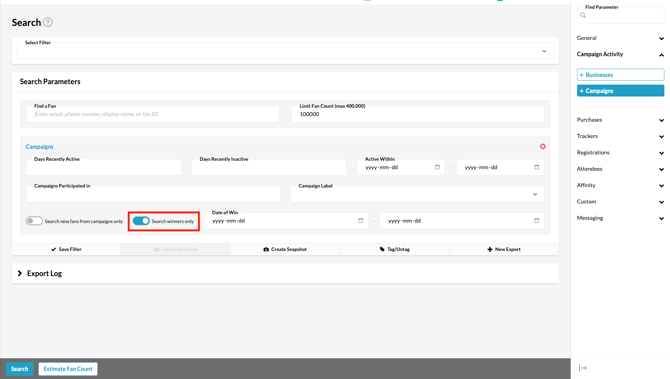
4. Click Estimate Fan Count or Search
Pro Tip: You can further refine your search by filtering for other criteria such as campaigns participated in, campaign labels, and more
Removing Winners from a Campaign
If you need to remove winners from your campaign, for instance, if they fail to meet age/residency requirements or violate the campaign terms, you can do so by following these steps:
- Go to your desired Business > Campaign > Reporting > Results
- Navigate to the Winners section, where you can view all the winners of your campaign
- You can then decide to remove these winners before they are formally awarded a prize.
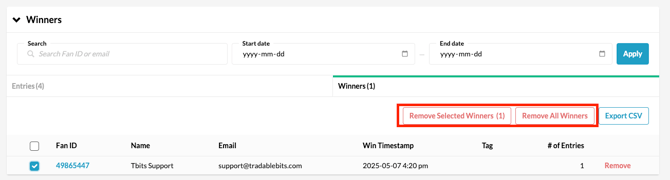
Based on your selections, you can either remove specific chosen winners using Remove Selected Winners or remove all winners at once using Remove All Winners
Now, you can be confident you've selected your winners fairly and accurately.
Still need assistance? Please reach out to your Customer Success Team or contact support@tradablebits.com