![tradable-bits-long-logo-for-download.png]](https://resources.tradablebits.com/hs-fs/hubfs/tradable-bits-long-logo-for-download.png?height=40&name=tradable-bits-long-logo-for-download.png)
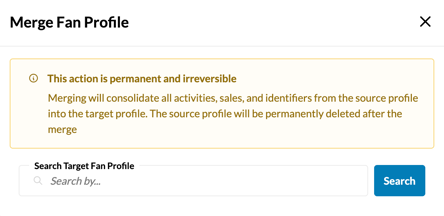
Merging will consolidate all activities, sales, and identifiers from the source profile into the target profile.
This feature resolves duplicate profiles caused when a fan interacts via different methods—such as a ticketing integration creating a profile with an email address, and the fan later registering separately using a mobile phone number.
Important: This action is permanent and irreversible. The source profile is permanently deleted once merged.
To merge two fan profiles:
- Navigate to FanCRM > Search
- Enter the email address of the source profile (the duplicate you want to delete) and click "Search Fans".
- Click on the fan profile and scroll to the bottom of the Fan Details modal.
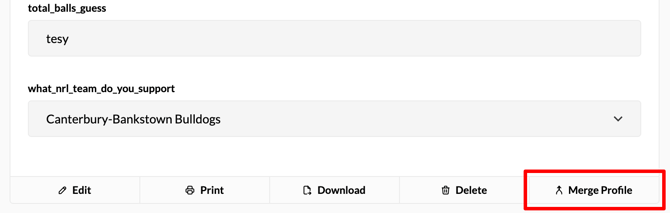
- Select "Merge Profile".
- Search for the target profile (the primary profile you want to keep) by Name, Email, or Fan ID.
- Click "Merge Profile" to finalize.
Still need assistance? Please reach out to your Customer Success Team or contact support@tradablebits.com