![tradable-bits-long-logo-for-download.png]](https://resources.tradablebits.com/hs-fs/hubfs/tradable-bits-long-logo-for-download.png?height=40&name=tradable-bits-long-logo-for-download.png)
What is Opt-In?
Opt-in is the process of obtaining consent from your fans to receive marketing communications. This ensures you are communicating with fans who have agreed to hear from you, which can improve engagement and allow you to maintain compliance with your region's privacy laws.
For more information on making opt-in mandatory, please refer to this help guide.
How to Localize Campaign Opt-In Language
1. Go to your desired Campaign
2. Navigate to Setup > General Setup and scroll to Entry Form Fields.
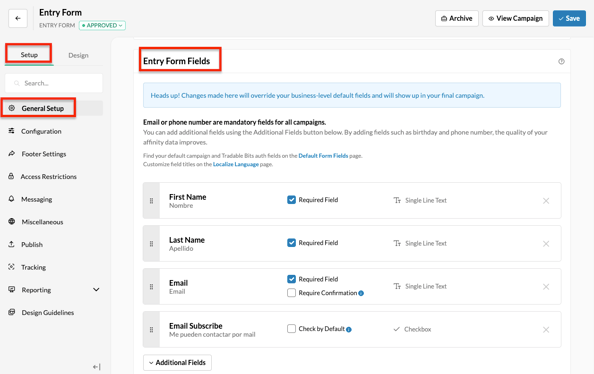
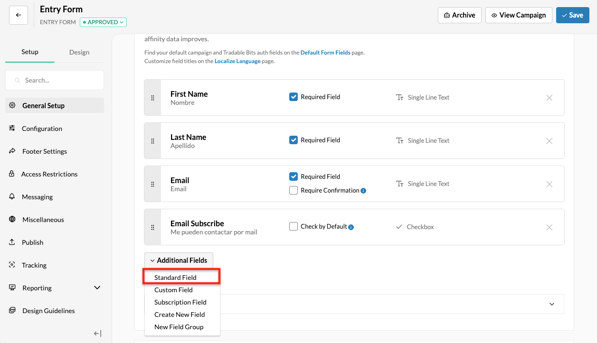
3. To include Email Subscribe or Phone Subscribe options, click Additional Fields > Standard Field.
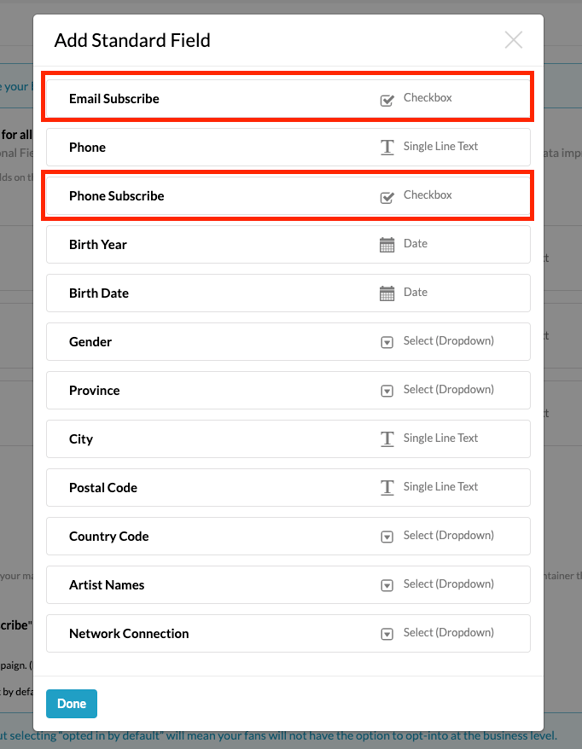
4. Select either Email Subscribe, Phone Subscribe, or both.
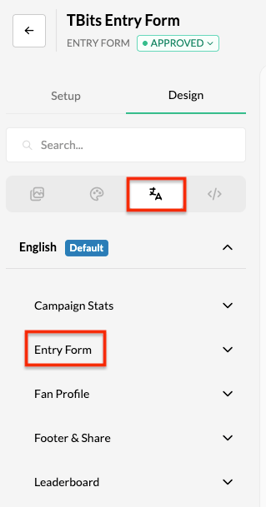
5. Once these entry form fields are added to your campaign, go to Design > Languages
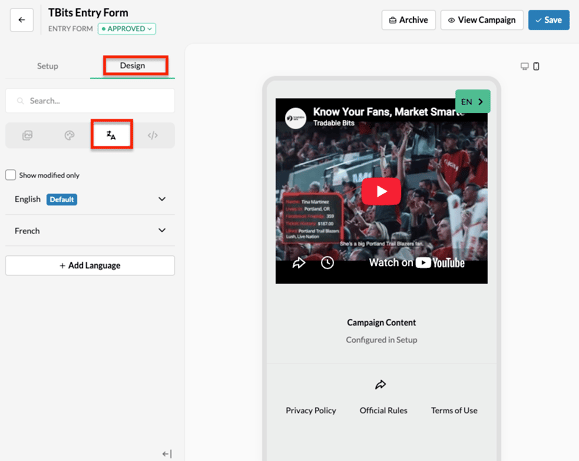
6. On the Languages menu, choose your preferred Language. A dropdown menu will display field categories. Select Entry Form.
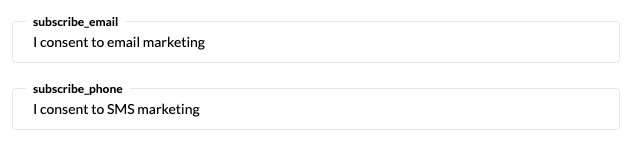
7. Click into Email Subscribe and/or Phone Subscribe and add your desired text/phrasing
8. Click Save in the top right corner to ensure all your changes are saved
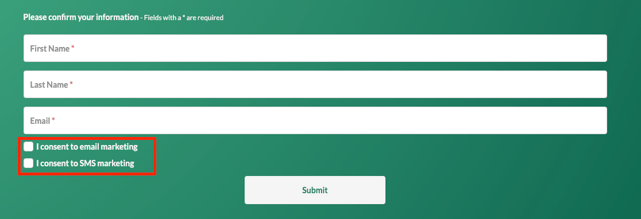
For more information, check out this help guide on localized language and use cases.
Still need assistance? Please reach out to your Customer Success Team or contact support@tradablebits.com