![tradable-bits-long-logo-for-download.png]](https://resources.tradablebits.com/hs-fs/hubfs/tradable-bits-long-logo-for-download.png?height=40&name=tradable-bits-long-logo-for-download.png)
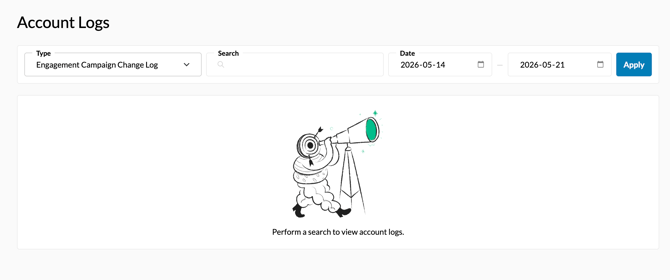
Your Account Logs are where you can find up to date records regarding logins to your account, changes to your campaigns and additional information about your integrations.
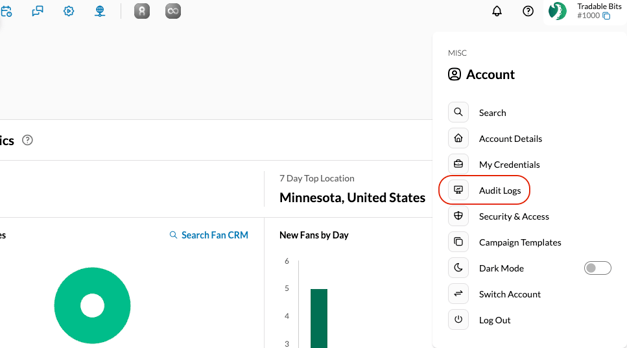
From your Tradable Bits Homepage, hover over the Tradable Bits icon in the top right corner and select 'Audit Logs'.
Account Log Types:
-
Engagement Campaign Change Log: Select this option to view a record of the changes that have been made to your campaigns within the specifed time frame. You can search for a specific campaign by name, or show results for all campaigns.
- Account Logins: Select this option to view the login history for your account within the specifed time frame. You can for search for logins by Name, Email, Network, IP address and location
- Integrations: If you have active integrations (Such as Mailchimp etc.) you will find these options under Type as well.
Still need assistance? Please reach out to your Customer Success Team or contact support@tradablebits.com