![tradable-bits-long-logo-for-download.png]](https://resources.tradablebits.com/hs-fs/hubfs/tradable-bits-long-logo-for-download.png?height=40&name=tradable-bits-long-logo-for-download.png)
To add a new business in your Tradable Bits account, go to your Tradable Bits Homepage and click +Add to Account > select Business.
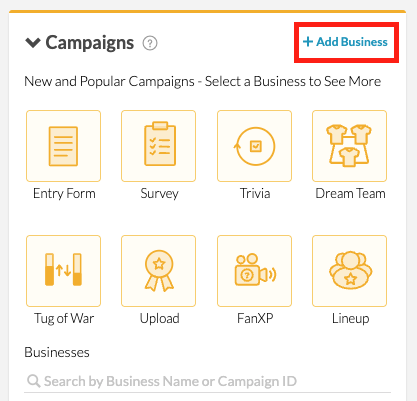
There are a two different ways to add a business:
- To create a Non Meta Business, enter your desired Business Name
- To connect a Facebook Page, click on Connect with Facebook Login and enter your Facebook credentials. You can also connect your Facebook by providing your Access Token.
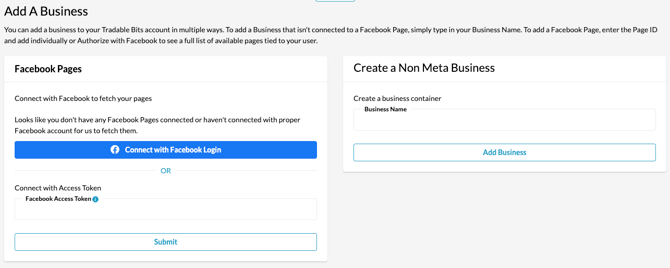
Once your business has been created, you will be able to start running Engagement Campaigns, so cross-campaign reporting and searching for fans associated with your Business in the FanCRM.
Still need assistance? Please reach out to your Customer Success Team or contact support@tradablebits.com