![tradable-bits-long-logo-for-download.png]](https://resources.tradablebits.com/hs-fs/hubfs/tradable-bits-long-logo-for-download.png?height=40&name=tradable-bits-long-logo-for-download.png)
The Cross-Campaign Leaderboard is a powerful tool to aggregate fan engagement. Unlike standard campaign leaderboards, this feature lives at the Business Level and sums up Fan Points across multiple selected activations to track fans across multiple campaigns or a full season.
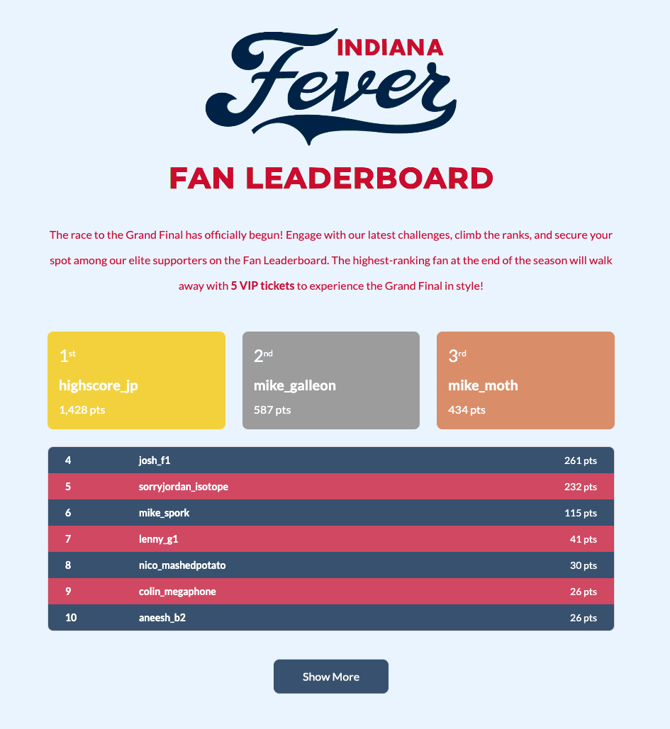
The leaderboard ranks fans using the Fan Points they earned in the campaigns you include.
You can Learn more about Fan Points here
Page Configuration
- To appear as an option under Included Campaigns, a campaign must have Fan Points enabled before it goes live. Fan Points can't be added retroactively.
- Campaigns with accuracy-based scoring leaderboards (e.g., Memory Match, Trivia) won't appear in the leaderboard unless Fan Points were added during setup.
- Use the search feature to filter by campaign name, type or ID.
-
Toggle on the campaigns that you would like to be included in the leaderboard
Theme Settings
-
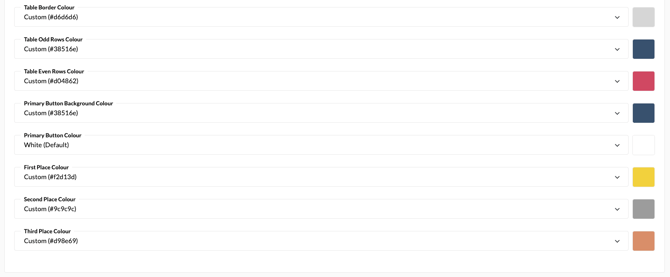
This section is where you can change the background image, leaderboard table colours, and button display.
- Customise the leaderboard table colours and button displays to align with your brand's colour palette.
-
Header: Upload an image (minimum of 900 by 300 px)
- Tip: Upload a transparent header so that your campaign's background image will show through.
- Description: The description will be displayed directly underneath the header image.
Custom Code
-
Input your own custom HTML, CSS or JavaScript to override the default styles.
Still need assistance? Please reach out to your Customer Success Team or contact support@tradablebits.com