![tradable-bits-long-logo-for-download.png]](https://resources.tradablebits.com/hs-fs/hubfs/tradable-bits-long-logo-for-download.png?height=40&name=tradable-bits-long-logo-for-download.png)
This article outlines how to delete a UGC stream display from your account.
Once your event is over and you no longer need to collect content from your Stream, you can easily delete it.
Follow these steps:
1) From your Tradable Bits Homepage, go to the Top Navigation Bar and click on UGC Displays
2) You will see a list of your created UGC stream displays
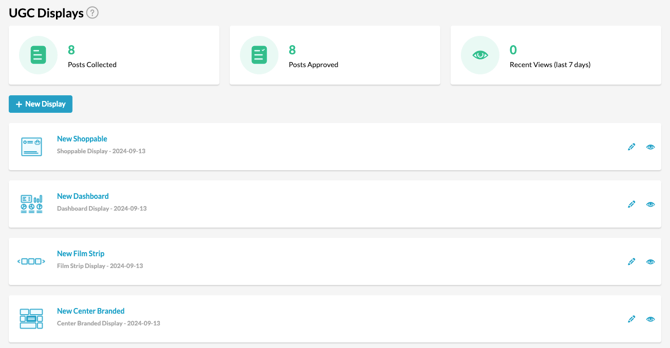
3) Select the display you want to delete by clicking on the "Pencil" icon
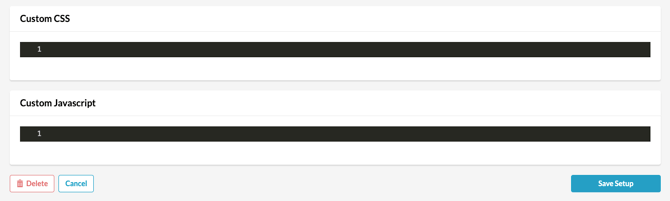
4) Scroll to the bottom, click the "Delete Stream" button
Still need assistance? Please reach out to your Customer Success Team or contact support@tradablebits.com