![tradable-bits-long-logo-for-download.png]](https://resources.tradablebits.com/hs-fs/hubfs/tradable-bits-long-logo-for-download.png?height=40&name=tradable-bits-long-logo-for-download.png)
One way to take advantage of participant results and profiles in your Fan CRM is to create a custom audience to run targeted Meta ads or email campaigns.
NOTE: If you plan to create a lookalike from your custom audience, our clients see the best results when a custom audience contains minimum 2,000 fan profiles.
Follow these steps:
-
In the Tradable Bits Homepage, hover over the Ad Accounts section in the Top Navigation Bar, click Meta Ads, and select your desired ad account.
-
Click Audience
-
Click "New Audience" and fill out the fields. Don't forget to select the correct search filter
-
Click "Save" button. Your new audience will take up to 1 hr to sync
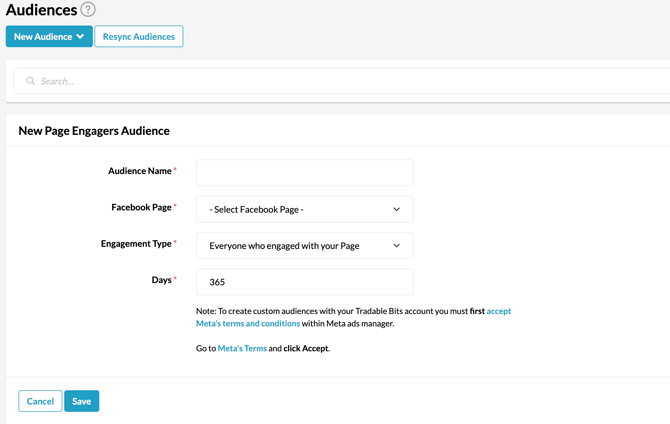
NOTE: It's best practice to name this new audience after the search filter you created
Did you forgot to make a filter? Use our "how to" guide with step-by-step instructions.
Still need assistance? Please reach out to your Customer Success Team or contact support@tradablebits.com